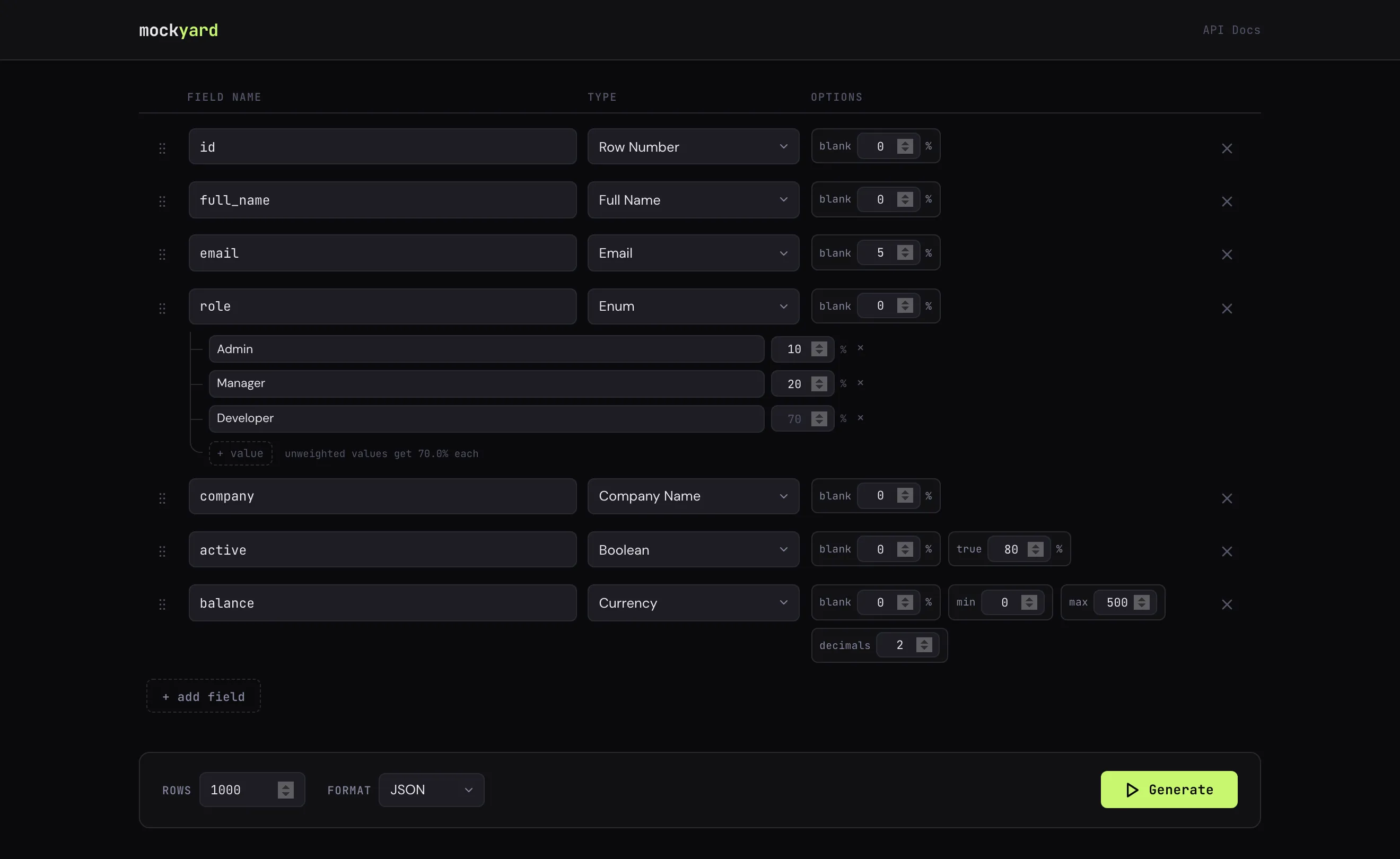
Build a schema, hit Generate.
Add fields, pick a type, tune the options. The file downloads straight from the browser.
Open source · Self-hosted · Web UI + REST API
Describe the rows you need in a web UI or with one API call, and get CSV or JSON back. A single Rust binary, free and open source.
The parts of Mockaroo people actually use, running on your own infrastructure.
Add fields, pick a type, tune the options. The file downloads straight from the browser.
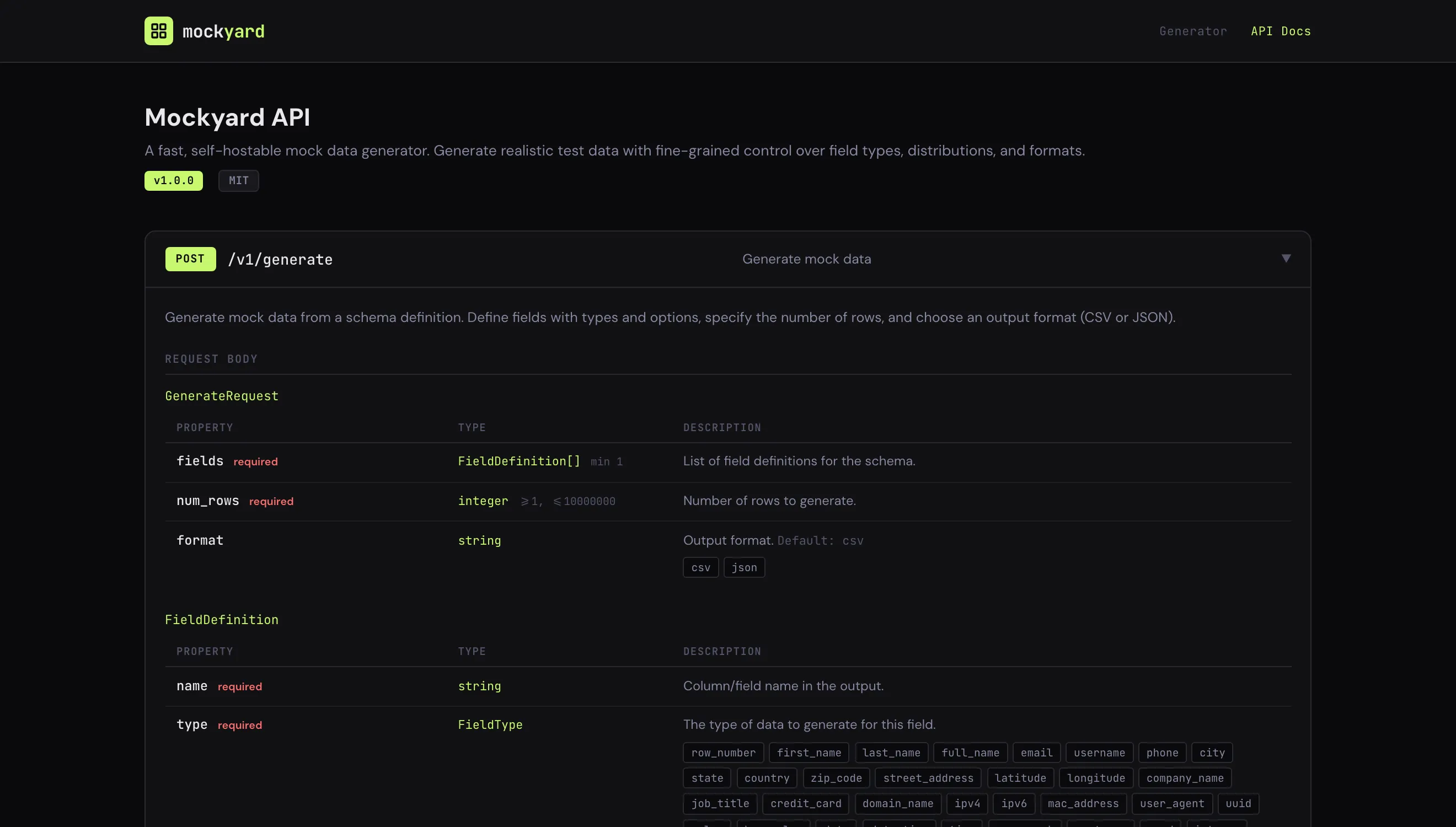
Send a schema to /v1/generate. Interactive docs with a try-it-out panel live at /docs, and the OpenAPI 3.1 spec ships with the binary.
Names, emails, phones, addresses, coordinates, companies, job titles, cards, domains, IPs, MAC addresses, user agents, dates, text, numbers, UUIDs, colours, booleans.
A blank percentage on any field, min and max ranges including negatives, decimal places, true/false ratios and weighted enum values.
Define a small table like city, state, country and Mockyard samples whole rows from it, so related values never contradict.
Sampled from a dataset of real addresses, kept unique within a request as far as the data allows, with a live duplicate-risk estimate while you design.
One container, no configuration. Then open the UI or talk to the API.
docker run -p 8080:8080 ghcr.io/portside-labs/mockyardThen open http://localhost:8080 for the UI, or http://localhost:8080/docs for the API docs.
curl -X POST http://localhost:8080/v1/generate \
  -H "Content-Type: application/json" \
  -d '{
    "fields": [
      { "name": "id",        "type": "row_number" },
      { "name": "name",      "type": "full_name" },
      { "name": "email",     "type": "email",
        "options": { "blank_percentage": 10 } },
      { "name": "plan",      "type": "enum",
        "options": { "values": [
          { "value": "free", "weight": 60 },
          { "value": "pro",  "weight": 30 },
          { "value": "team" } ] } },
      { "name": "balance",   "type": "currency",
        "options": { "min": 0, "max": 500 } }
    ],
    "num_rows": 3,
    "format": "json"
}'[
{
"id": 1,
"name": "Iliana Bashirian",
"email": "[email protected]",
"plan": "free",
"balance": 376.77
},
{
"id": 2,
"name": "Monserrat Jakubowski",
"email": "[email protected]",
"plan": "team",
"balance": 284.23
},
{
"id": 3,
"name": "Reese Moore",
"email": null,
"plan": "free",
"balance": 63.7
}
]
Yes. Mockyard is open source. Run it anywhere, for anything, with no account and no per-row pricing. A single request can return up to 10 million rows.
No. Generation happens inside the container or binary you run. Mockyard sends nothing to us.
Same idea, on your own infrastructure: no sign-up, no row caps to pay for, and it fits into a CI pipeline as one Docker command and one HTTP call.
Yes. Start the container, POST your schema to /v1/generate and use the CSV or JSON it returns. The OpenAPI 3.1 spec is included for generating clients.
Open an issue on GitHub at https://github.com/portside-labs/mockyard. Pull requests are welcome.